Recover damaged Word files

If you've been working on a Word document for a long time then it's a nightmare when it suddenly corrupts or won't open.

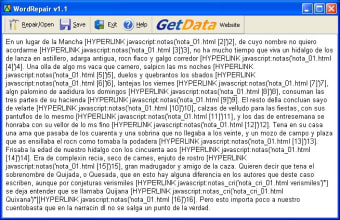
The reasons for this are numerous and usually it's not your fault. If you've ever received any of the following messages then you'll know what I'm talking about: "The document name or path is not valid. Try these suggestions. Check the file permissions for the document or drive. Use the File Open dialog box to locate the document."; "Word cannot open the document."; "Word cannot open the document: user does not have access privileges."; "When you attempt to open a Microsoft Word 97 document into Microsoft Word version 6.x or 7.x, the document contains garbage characters." Repair My Word can come to the rescue if you've suffered any of these error messages and has the ability to repair Microsoft Word 6.0, Word 95, 97, 2000, XP, and 2003 for Windows. To use it, you simply open the corrupt Word file, preview the recoverable text in the preview window and save this text to a new error free Word file. However, don't expect miracles from this software because it doesn't work in all cases and in addition, even if it can, the rescued document is often a jumbled mess of words of symbols.

If you've ever lost a Word document to corruption or file error, then this is definitely worth a try.

  • Pros

    • Very easy to use
    • Can help rescue corrupted documents
  • Cons

    • Rescued documents are not always clear
    • Doesn't always rescue documents clearly
 0/1

App specs

  • License

    Free

  • Version

    1.0.0.49

  • Latest update

  • Platform

    Windows

  • OS

    Windows 2000

  • Language

    English

  • Downloads

    716.1K

    Last month's downloads

    • 14
  • Size

    1.58 MB

  • Developer

Program available in other languages


Icon of program: Word Repair

Word Repair for PC

  • Free
  • 2.9
    172
  • 716.1K
  • V1.0.0.49

User reviews about Word Repair

Have you tried Word Repair? Be the first to leave your opinion!

Add review

You may also like

Alternatives to Word Repair

Explore Apps

Latest articles

Laws concerning the use of this software vary from country to country. We do not encourage or condone the use of this program if it is in violation of these laws.

Softonic

Is Word Repair safe?

Score result: Clean

This file passed a comprehensive security scan using VirusTotal technology. It is safe to download.


  • Virus free
  • Spyware free
  • Malware free
  • Verified by Security Partners

    VirusTotal logo

Scan Info

Last scan
Wednesday, December 2, 2020
Scan provider
VirusTotal

Softonic security commitment

Word Repair has been thoroughly scanned by our advanced security systems and verified by industry-leading partners. This file comes from the official developer and has passed all our security checks, showing no signs of viruses, malware, or spyware. For more information, visit our Security and Trust Center